Remove duplicates from a CSV file
To remove duplicate rows from a CSV, open the duplicate remover in Sigmera, choose whether to match on the whole row, ignore case and spacing, and preview the flagged duplicates before downloading the cleaned file. Sigmera does this entirely in your browser — your data is never uploaded to a server, so it’s GDPR-safe by design.
Last updated: September 2026
Use the duplicate remover free in your workspace
Free account, no credit card — every tool, unlimited rows, 3 free downloads a month, nothing uploaded.
🔒 Everything runs in your browser — your file is never uploaded, and the workspace even works offline once it has loaded.
Ways to remove duplicate rows, compared
| Method | Data uploaded? | GDPR-safe | Signup needed | Skill needed |
|---|---|---|---|---|
| Sigmera (this tool) | No — runs in browser | Yes | Free account | None |
| Other online cleaners | Usually yes | Often no | Often | Low |
| Excel / Google Sheets | No | Yes | No | Medium (menus) |
| Python / pandas | No | Yes | No | High (code) |
How to remove duplicates from a CSV
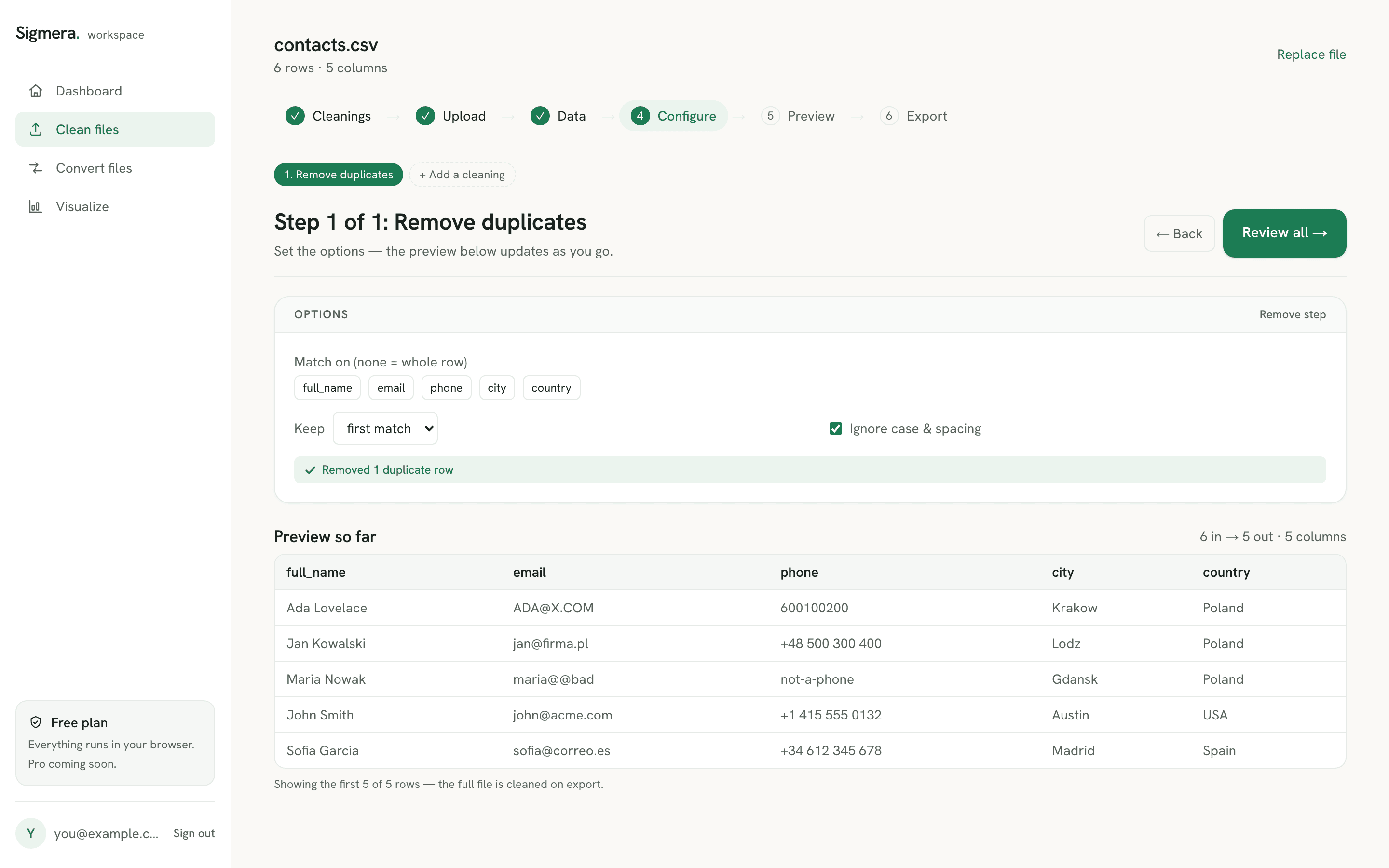
- 1. Open the duplicate remover in your free workspace. Your file is read into the browser’s memory — it is never sent over the network.
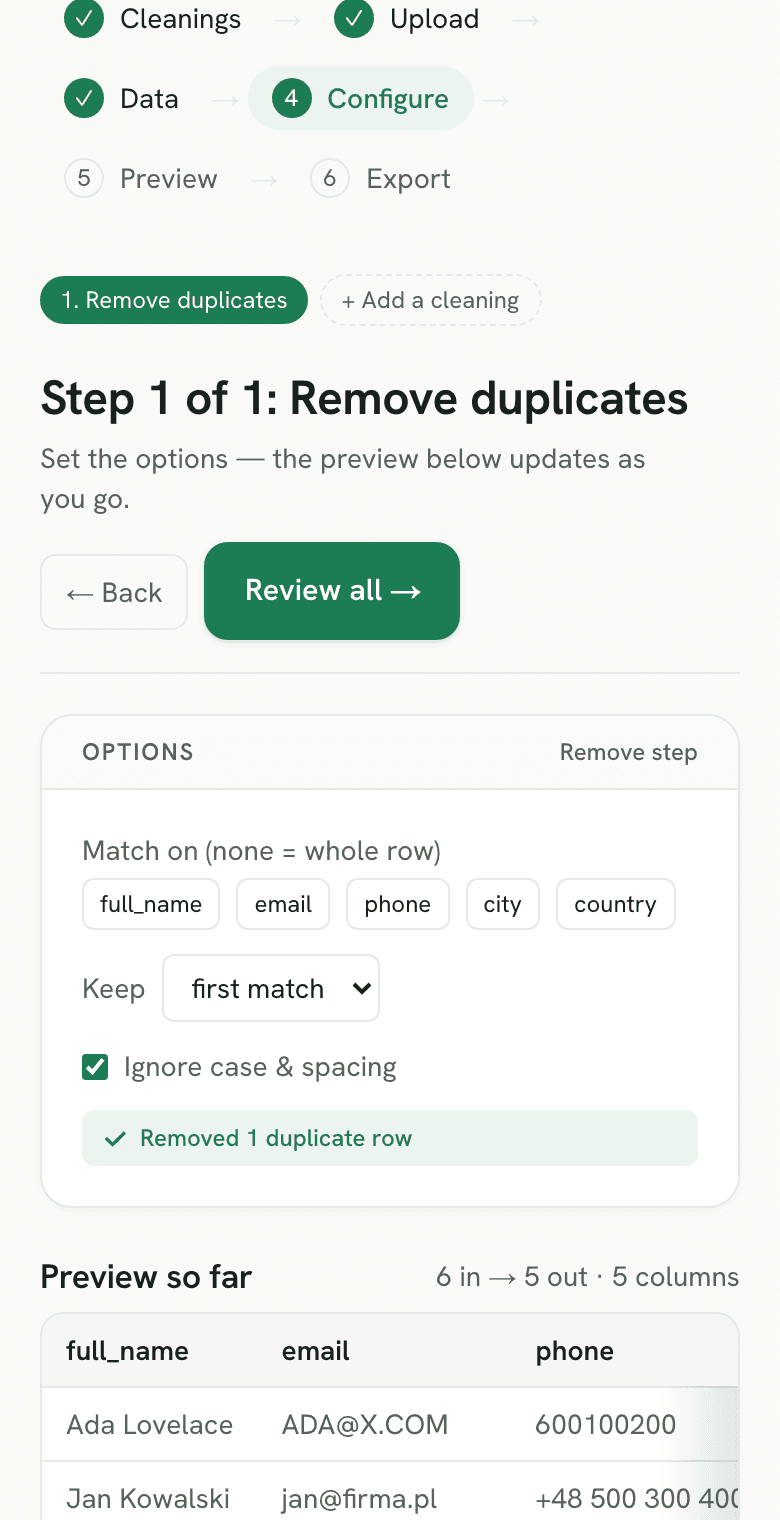
- 2. Choose how to match. Keep the first or last copy of each duplicate, and optionally ignore letter case and surrounding spaces so “Ada Lovelace” and “ada lovelace” count as the same.
- 3. Preview the result. See how many duplicate rows were removed and check the cleaned data before you commit.
- 4. Download the clean file. Create a free account to export the full deduplicated CSV.
Why clean duplicates client-side?
Contact lists, sales exports, and sign-up sheets accumulate duplicate rows that inflate counts and break CRM imports. Most online tools fix this by uploading your file to a server you can’t see. Because Sigmera processes the file locally with the browser’s built-in JavaScript engine, there is no server to upload to and nothing is stored — which satisfies GDPR data-minimization (Article 5) because zero bytes leave the device. Article 5(1)(c) requires personal data to be “adequate, relevant and limited to what is necessary in relation to the purposes for which they are processed” (GDPR Article 5). A deduplication pass that never transmits the file is the shortest route to that bar.
Why a CSV duplicate remover misses rows that look identical
The usual complaint about deduplicating a CSV is that two rows look the same on screen and both survive the pass. A CSV is plain text, and the comparison happens byte for byte, so three invisible differences are enough to keep a duplicate alive:
- Leading and trailing spaces.
Ada LovelaceandAda Lovelaceare different values, and the CSV spec says so outright: rule 4 of RFC 4180 states that "spaces are considered part of a field and should not be ignored" (RFC 4180 §2). Turn on the ignore-spacing option, or trim the whitespace before the dedupe runs. - Letter case. Exports that merge a web form with a CRM sync routinely carry both
Jane@Acme.comandjane@acme.com. Ignore case, or normalise the case first, and the pair collapses. - Quoting that differs between rows. RFC 4180 makes quoting optional — "each field may or may not be enclosed in double quotes" — so one system can write
"Berlin"where another writesBerlin. A parser that reads the file properly resolves both to the same value; a text diff or a spreadsheet formula comparing raw lines does not.
The practical order is the same every time: trim, fix case, then deduplicate. Running it the other way round leaves the near-matches behind and hides how many real duplicates the file held.
Keep the first copy or the last copy?
Which copy survives is a data decision, not a formatting one, and a spreadsheet makes it for you without asking. Microsoft is explicit about the rule: "when duplicates are removed, the first occurrence of the value in the list is kept, but other identical values are deleted" (Filter for unique values or remove duplicate values). Sigmera exposes the choice instead, so it is worth knowing which answer your file wants.
- Keep the last copy when the export is chronological. A CRM or form export that appends new rows as they arrive puts the most recent version of a record at the bottom — the current phone number, the latest opt-in state. Keeping the first copy there means keeping the stalest one.
- Keep the first copy when the order came from a sort. If the file was sorted alphabetically, by score, or by any column other than time, row position carries no information about which record is newer. Neither setting is more correct, so pick the one that preserves the ordering you trust and move on.
- Sort before you deduplicate when a date column exists. Sorting ascending by the timestamp and then keeping the last copy turns an arbitrary setting into a deliberate rule: newest record wins, every time, whatever order the export arrived in.
One limit is worth stating plainly, because the switch cannot solve it. Whole-row deduplication collapses rows that match; if the newer row carries an updated phone number, the two rows are not duplicates at all and both survive, whichever copy you told the tool to keep. That is a merge problem rather than a dedupe problem — standardise the field the records actually share, run the pass again, and treat what is left as records to reconcile by hand. For a phone column that means one notation for every row, which is the whole point of the E.164 phone number format. The worked version of that sequence is in the guide to deduplicating a list of sales leads.
Deduplicate a CSV that is too big for Excel to open
Past a certain size the spreadsheet route stops existing. A worksheet tops out at "1,048,576 rows by 16,384 columns" (Microsoft, Excel specifications and limits), and a CSV has no such ceiling — it is a text file that keeps going. Open a 3-million-row export in Excel and it loads the first 1,048,576 rows and stops. Run Remove Duplicates on what landed and you have deduplicated a third of your file while silently discarding the rest.
The row count is not the only limit that bites first, either. Long before the hard ceiling, a file with a few hundred thousand rows and a dozen text columns turns Remove Duplicates into a multi-minute freeze, because the whole workbook is held in memory and recalculated as it goes.
Deduplicating the CSV directly avoids both. Sigmera streams the file through the browser rather than loading it into a grid, so rows per file are unlimited on every plan and the ceiling that applies to a worksheet never enters into it. Because the work happens on your device, a large file also does not have to be uploaded anywhere first — the part of a big-file workflow that usually takes longest. If you do need the result in a workbook afterwards, convert the cleaned CSV to Excel once it is small enough to fit.
Deduplicate a CSV, or fix it in the spreadsheet
Which route is faster depends on where the file already lives. If it is open in a spreadsheet, use the built-in command — see how to remove duplicates in Excel or the same job in Google Sheets. If it is still a raw export, skip the spreadsheet entirely: a round trip through Excel can drop leading zeros from postal codes and reformat long IDs, which is a known hazard when opening a CSV in Excel. There is a third route for a dataset messy enough to need clustering rather than plain deduplication: a local desktop tool. Clustering requires grouping similar values and reviewing the proposed matches.
Duplicate rows are rarely the only problem in an export. Once the copies are gone you can standardise the email column, format phone numbers to E.164, or split a full-name column in two, or, when the deduplicated list is going to a reader rather than an importer, turn the finished list into a paginated PDF — all in the same browser tab, with the file still on your device. The full pre-CRM-import checklist covers the order to do them in, and deduplicating an applicant list shows the same sequence for candidate data headed into an ATS. If the destination is HubSpot specifically, importing a deduplicated CSV to HubSpot walks through the mapping screen and the file limits that reject an upload before a single row lands. For a prospect list specifically, removing repeat leads before they reach the pipeline covers which copy to keep and why the CRM’s own matching rules stop short of doing it for you.
What counts as duplicate data?
Deduplication removes repeated records according to a matching key. Two identical rows are different from two rows describing the same person with different spellings. Sigmera matches exact values in your selected columns; it does not perform fuzzy identity matching or merge conflicting records across systems.
- Choose what one row represents. Two purchases by the same customer are distinct transactions even when the email matches. Match a transaction ID when preserving each purchase matters.
- Normalize email casing and surrounding whitespace before using an email as the key. Keep a backup and review blank keys, which cannot identify a person reliably.
- Choose which row survives deliberately. First or last refers to file order, not automatically the newest or most complete record. Sort and review conflicts before removing rows.
Choose the method that fits your task
- Sigmera or spreadsheet exact matching
- Repeated rows or a reliable key in one file. Bob Smith and Robert Smyth are not an exact match.
- OpenRefine clustering
- Reviewing similar spellings and inconsistent labels. Human review is still needed before treating values as equivalent.
- A record-matching platform
- Cross-system matching and rules for conflicting records. A different workflow from deleting duplicate rows in a CSV.
Frequently asked questions
- Does this tool upload my CSV file?
- No. The duplicate remover runs entirely inside your web browser using client-side JavaScript. Your file is never uploaded to a server and never leaves your device, so it is GDPR-safe by design.
- How does it decide which rows are duplicates?
- By default it compares the entire row. You can choose to ignore letter case and extra spacing, and keep either the first or the last copy of each duplicate group. Matching on specific columns is being added next.
- Is there a row limit?
- Create a free account — no credit card — to use the tool and download the cleaned file. Rows per file are unlimited on every plan; the Free plan includes 3 downloads a month (Pro 30, Max unlimited), and everything still runs in your browser.
- Can I find duplicates in a CSV without deleting them?
- Yes. Preview the flagged rows before you export — the duplicate remover shows which rows match and how many copies it found, so you can eyeball the groups first. Nothing is written until you download, and the original file on your disk is never modified.
- Does deduplicating a CSV change my column order or headers?
- No. A CSV duplicate remover works on whole rows, so the header line and the left-to-right column order come out exactly as they went in. Only rows are dropped. This matters before a CRM import, where a shifted column silently maps data into the wrong field.
- Why are duplicate rows still in my CSV after deduplicating it?
- Almost always because the rows are not byte-identical. A trailing space, a different letter case, or one system quoting a field that another leaves bare all make two rows that look the same on screen compare as different. RFC 4180 rule 4 is explicit that spaces are part of a field and should not be ignored. Switch on the ignore-case and ignore-spacing options, or trim and lowercase the column first, then run the duplicate remover again.
- How do I remove duplicates from a CSV based on one column, like email?
- The duplicate remover compares the whole row today, with per-column matching coming next. Until then the reliable route is to standardise the column you actually care about — lowercase and trim the email column with the email cleaner — so that rows differing only in that field's formatting become identical and get collapsed. If the remaining rows differ in a column you do not care about, delete that column before the dedupe pass and add it back afterwards.
- When I remove duplicates from a CSV, which copy is kept?
- Whichever you choose — Sigmera can keep either the first or the last copy of each duplicate group. Excel does not offer the choice: Microsoft's documentation states that when duplicates are removed, the first occurrence of the value in the list is kept and other identical values are deleted. The right answer depends on the file. In a CRM or form export that appends rows as they arrive, the last copy is the most recent version of the record, so keep-last preserves the current phone number and opt-in state. If the file was sorted alphabetically or by score, row order says nothing about time and either setting is arbitrary. When the file has a date column, sort by it ascending first and then keep the last copy, so newest-record-wins becomes a rule instead of a guess.
- How do I remove duplicates from a CSV that is too large to open in Excel?
- Deduplicate the CSV itself instead of opening it. Microsoft puts a worksheet's maximum size at 1,048,576 rows by 16,384 columns, so a larger export is truncated on open — and running Remove Duplicates then cleans only the rows that fit while the rest are dropped. Sigmera streams the file through the browser rather than loading it into a grid, so rows per file are unlimited on every plan and nothing is uploaded.
- Can I do this in Excel instead?
- Yes — Excel has a Remove Duplicates button under the Data tab, and Google Sheets has a Data → Data cleanup option. They work, but require opening the file, finding the menu, and selecting columns. Sigmera does it in two clicks without a spreadsheet app.