Combine two or more columns in a CSV
To merge columns in a CSV, open the column combiner in Sigmera, tick the columns you want to combine, choose a separator such as a space or comma, name the new column, and preview the result before downloading. Sigmera does this entirely in your browser — your data is never uploaded to a server, so it’s GDPR-safe by design.
Last updated: October 2026
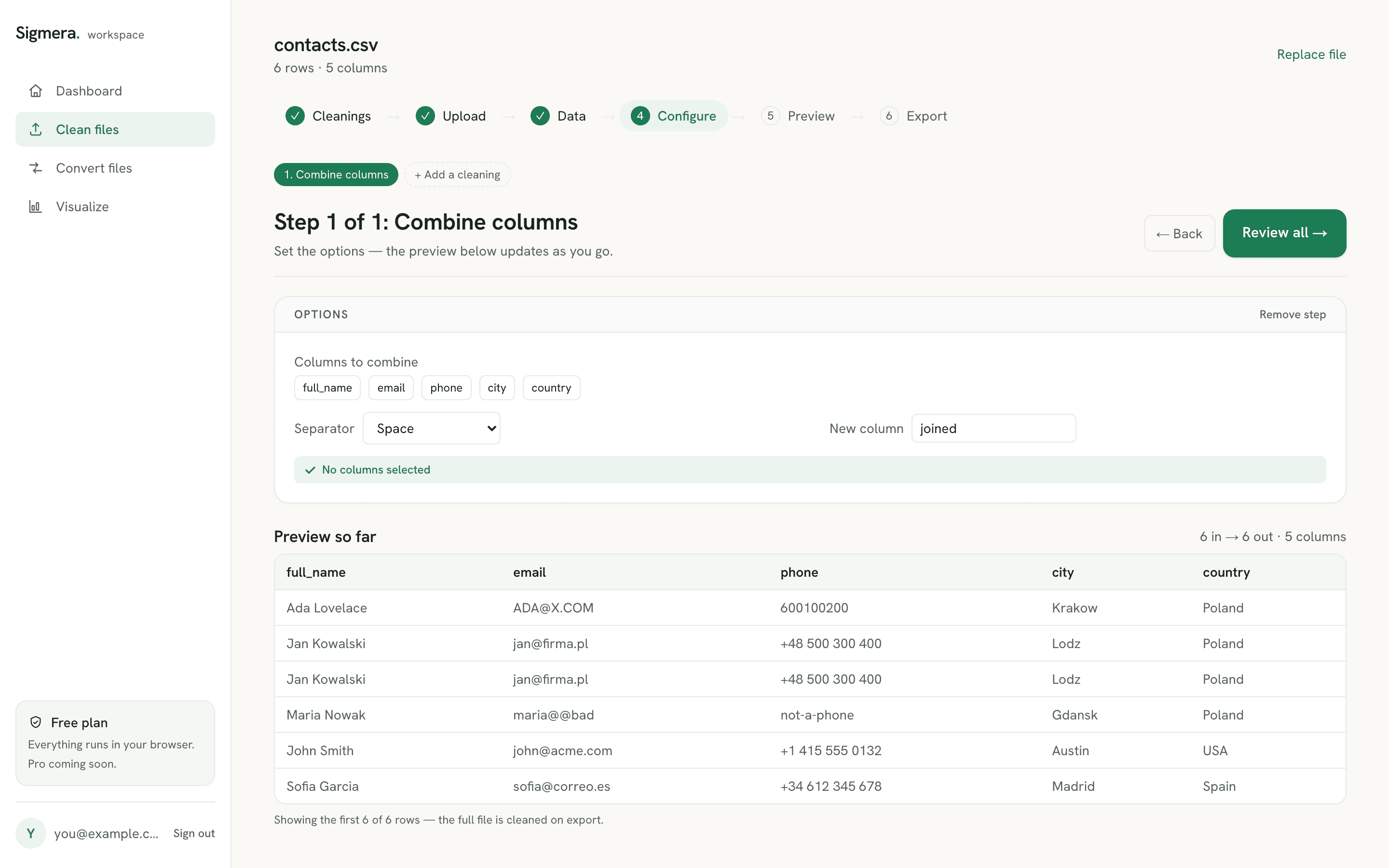
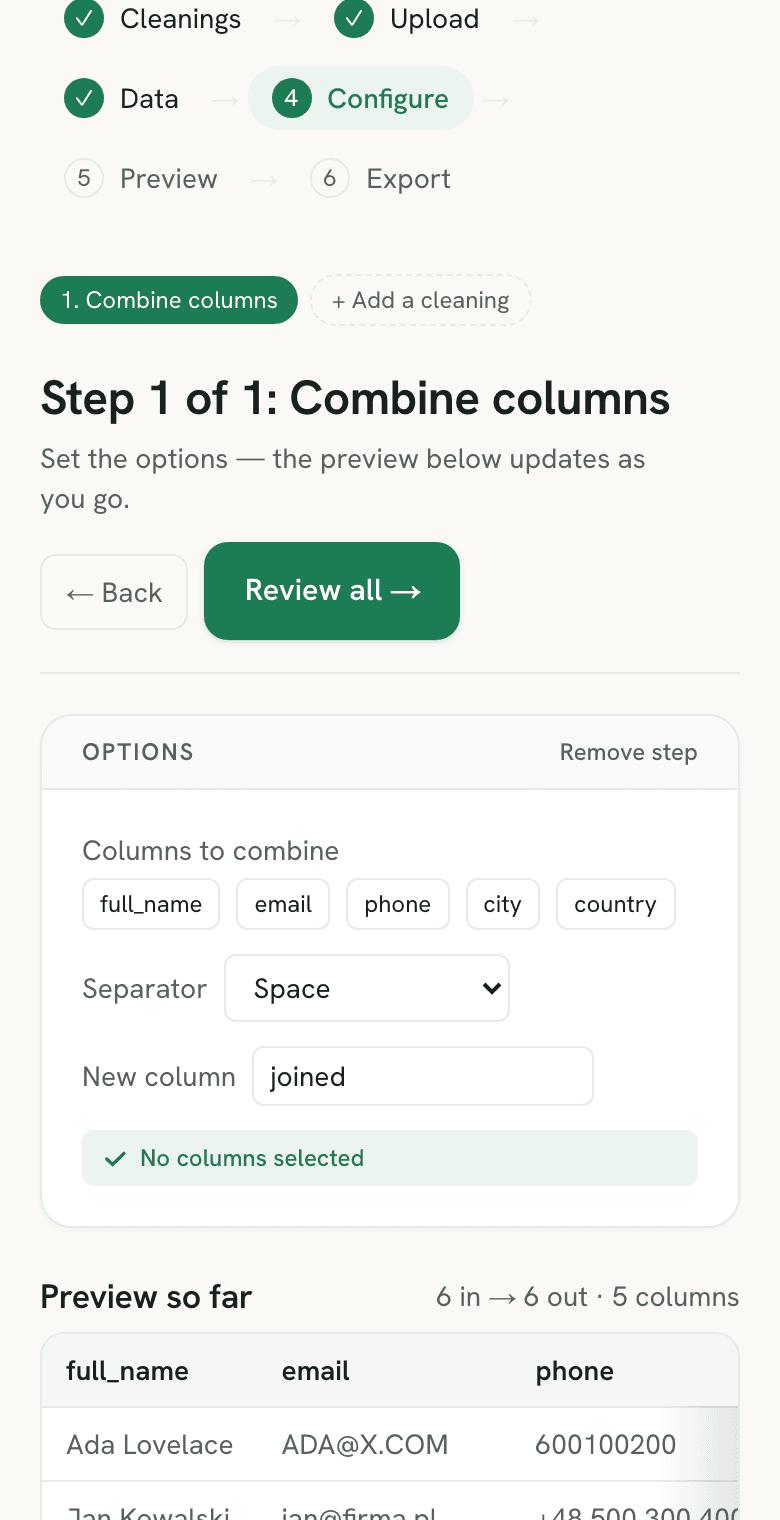
Use the column combiner free in your workspace
Free account, no credit card — every tool, unlimited rows, 3 free downloads a month, nothing uploaded.
🔒 Everything runs in your browser — your file is never uploaded, and the workspace even works offline once it has loaded.
Ways to combine CSV columns, compared
| Method | Data uploaded? | Pick separator | Skill needed |
|---|---|---|---|
| Sigmera (this tool) | No — runs in browser | Yes, one click | None |
| Excel CONCAT / TEXTJOIN | No | Yes, in the formula | Medium (function syntax) |
| Excel “&” formula | No | Manual (type each one) | Medium (formula + drag-fill) |
| Python / pandas | No | Yes, in code | High (code) |
How to combine columns in a CSV
- 1. Drop your CSV into the tool. The file is read into your browser’s memory — it is never sent over the network.
- 2. Pick the columns to combine. Tick two or more columns, such as first_name and last_name. They are joined in the order you click them.
- 3. Choose a separator and name the column. Use a space, comma, dash, underscore, or nothing at all, then give the new combined column a name like full_name.
- 4. Preview and download. Check the new column in the preview, then create a free account to export the full CSV.
Why combine columns?
CRMs and email tools usually want a single field where your export has several — a full_name built from first and last name, or a single address line built from street, city, and postcode. Combining the columns before import means cleaner records and fewer mapping errors. Because Sigmera processes the file locally with the browser’s built-in JavaScript engine, there is no server to upload to and nothing is stored — which satisfies GDPR data-minimization (Article 5) because zero bytes leave the device.
Combine CSV columns vs merge CSV files
“Combine CSV files” and “merge CSV files” usually mean stacking whole files — twelve monthly exports with the same headers becoming one long table. That is a row operation. This tool does the column operation: two or more fields inside one file joined side by side into a new field. Both end in a file that follows the same RFC 4180 record structure — one header line, then records with a matching field count — which is why the two jobs get confused.
If you need to stack files, do that in Excel or Google Sheets first (the merge-spreadsheets comparison rates the options), then bring the combined file here. A stacked file almost always contains the same person twice, so removing duplicate rows is the sensible next pass — and both passes run in the browser, so the merged list never gets uploaded.
Facing the reverse problem — one column holding whole names that the importer wants as two fields? The name splitter does that pass, including “Last, First” order and an optional middle-name column. Inside Excel, the equivalent is splitting first and last name with Text to Columns or a formula.
Where the TEXTJOIN formula stops working
Excel can do this with a formula, and for a one-off on a small sheet that is often the right call. It is worth knowing the three places the formula route breaks before you build a process around it.
- It is not in every Excel. Microsoft lists TEXTJOIN as available in Excel 2019, 2021, 2024 and Microsoft 365 — and it requires Office 2019 or a current subscription. Send a workbook built on it to someone running Excel 2016 and the cells come back
#NAME?. - Empty cells are an argument, not a default. TEXTJOIN’s second parameter is
ignore_empty: set to TRUE it skips blanks, set to FALSE it writes the delimiter anyway. That single boolean is what separates Ada Lovelace from Ada Lovelace on the rows with no middle name. - There is a hard character ceiling. Microsoft documents that if the resulting string exceeds 32,767 characters — the cell limit — TEXTJOIN returns the
#VALUE!error rather than a truncated join. Long concatenated address or note fields hit this.
The full syntax and version matrix are in Microsoft’s TEXTJOIN reference. None of the three applies here: this tool skips empty cells without an argument to set, has no cell-length ceiling because the output is a CSV field rather than a spreadsheet cell, and needs no particular version of anything — it runs in the browser tab you already have open, and the formula walkthrough covers the spreadsheet route in full if you would rather stay there.
The Google Sheets route, and where it differs from Excel
Sheets has the same three options — the & operator, CONCATENATE, and TEXTJOIN — but without Excel’s version problem. Google documents the signature as TEXTJOIN(delimiter, ignore_empty, text1, [text2, ...]), with ignore_empty as a boolean that drops blank cells from the result when it is TRUE. Every Sheets file has it, so the #NAME? that appears when an Excel 2016 colleague opens your workbook has no equivalent here.
Two things still bite. The formula produces a column of formulas, not values — export that sheet to CSV and you get the results, but copy it to another tab and the references break, so paste-special as values first. And the import is where a phone or postcode column loses its shape: Sheets applies its own type detection to a pasted or uploaded CSV, so the joined field can arrive already altered. Getting the file in without that happening is the subject of importing a CSV into Google Sheets, and the same caution applies to a dedupe pass run in the sheet. Joining the columns before the file reaches a spreadsheet skips both problems: there is no formula layer to flatten and no import step to survive.
Combining columns without Excel rewriting the values
The usual route to merge CSV files or join their columns is to open the file in a spreadsheet first, and that is where the damage happens. Microsoft states that Excel removes leading zeros and converts large numbers to scientific notation so that formulas and maths operations can run on them. A postcode of 01234 becomes 1234, and a sixteen-digit account reference becomes 1.23E+15 — before you have combined anything. Build a combined address or reference field out of columns that have already been rewritten, and the new field inherits every one of those errors.
This tool never parses the values as numbers. The CSV is read as text, the selected fields are concatenated as text, and the result is written back as text, with the RFC 4180 quoting applied only where a value actually needs it. If the file does have to reach a workbook afterwards, do the join here first and convert the finished CSV to .xlsx — the types are already settled in the file, so there is nothing left for Excel to infer.
A worked example: what happens to each cell
The combiner applies the same three rules to every row, so the result is predictable before you preview it. Here is a four-row export joined on first_name, middle, and last_name with a space as the separator.
| first_name | middle | last_name | full_name (new) |
|---|---|---|---|
| Ada | King | Lovelace | Ada King Lovelace |
| Grace | (empty) | Hopper | Grace Hopper |
| “ Alan ” | (empty) | Turing | Alan Turing |
| (empty) | (empty) | (empty) | (empty) |
- Each value is trimmed first. Leading and trailing spaces inside a source cell are removed before the join, which is why the padded “ Alan ” comes out as a clean Alan Turing. Spaces in the middle of a value are left alone.
- Empty cells are skipped, not joined. A blank middle name adds nothing — no double space, no stray comma — and a row where every selected cell is blank gets an empty combined value rather than a lone separator.
- The separator goes only between values that exist. That is the behaviour you get in a formula only by setting TEXTJOIN’s
ignore_emptyto TRUE; here it is the only behaviour.
The source columns are untouched and the new field lands at the right-hand end of the file. If the trimmed names now contain the same person twice — Grace Hopper from two different exports — run a duplicate check on the combined column next, so the match is made on the whole name rather than on two fields separately.
Joining columns is usually one step of a longer clean-up. The full set of online CSV tools covers the passes on either side of it — trimming, format standardising, deduplicating, and converting — and lists the order to run them in so a later pass does not undo an earlier one.
Frequently asked questions
- Does this tool upload my CSV file?
- No. The column combiner runs entirely inside your web browser using client-side JavaScript. Your file is never uploaded to a server and never leaves your device, so it is GDPR-safe by design.
- What is the difference between merging CSV files and combining CSV columns?
- Merging (or combining) CSV files means stacking two or more separate files so their rows join into one longer file. Combining CSV columns — what this tool does — takes two or more columns inside a single file and joins them side by side into one new column, such as building a full_name from first_name and last_name. This tool handles the column case, and it runs entirely in your browser, so nothing is uploaded and your data stays GDPR-safe.
- Can I join more than two columns?
- Yes. Select as many columns as you like — first name, last name, and a suffix, or street, city, and postcode. They are combined in the order you click them, and any empty cells are skipped so you never get stray separators.
- What separators are supported?
- You can join with a space, a comma and space, a dash, an underscore, or no separator at all. A space is the default, which is what you usually want for building a full name from first and last name.
- How do I combine first name and last name into one column?
- Tick the first_name column, then the last_name column, choose a space as the separator, and name the new column full_name. The columns are joined in the order you tick them, and rows with an empty last name come out without a trailing space. The original columns stay in the file unless you drop them.
- Does combining columns break the CSV's quoting?
- No. If a combined value ends up containing a comma, a quotation mark, or a line break, it is written back wrapped in double quotes with any inner quotes doubled — the escaping rules RFC 4180 defines for CSV. That means the exported file still opens correctly in Excel, Google Sheets, or a CRM importer.
- Can I do this in Excel with TEXTJOIN?
- Yes — Excel's TEXTJOIN and CONCAT functions, or the classic "&" formula, all merge cells into one. They work, but you have to write the formula, get the argument order right, and then paste-as-values. Sigmera combines the columns with a couple of clicks and no formula.
- Will combining columns strip the leading zeros from postcodes or IDs?
- Not here. Microsoft documents that Excel removes leading zeros and converts large numbers to scientific notation so that formulas and maths operations can run on them, which is why a postcode column that went into a workbook as 01234 can come back out as 1234. Sigmera reads the CSV as text and writes it back as text, so a combined field keeps every character it started with — no type inference runs at any point.
- What are TEXTJOIN's limits in Excel?
- Three worth knowing. TEXTJOIN needs Excel 2019, Excel 2021, Excel 2024, or Microsoft 365 — it does not exist in Excel 2016 or earlier, so a formula that works on your machine can return #NAME? on a colleague's. Its ignore_empty argument decides whether blank cells are skipped or written out as bare delimiters, and setting it to FALSE is how most stray-separator problems start. And if the joined string passes 32,767 characters, the cell limit, TEXTJOIN returns #VALUE! instead of a result.
- Does combining columns delete the original columns?
- No. The combined value is written into a new column you name yourself, and the source columns stay in the file unless you choose to drop them. You can join first_name and last_name into full_name, check the result in the preview, and still have both original fields if the importer turns out to want them separately.
- Where does the combined column appear, and what if the name is taken?
- The new column is added as the last column of the file, after every existing one. If the name you type already exists as a header, the tool adds a numbered suffix — full_name becomes full_name (2) — rather than overwriting the column that is already there. Leave the name blank and the column is called joined.
- How do I combine two columns in Google Sheets?
- Use TEXTJOIN, which Google documents as TEXTJOIN(delimiter, ignore_empty, text1, [text2, ...]) — for example TEXTJOIN(" ", TRUE, A2, B2) to join a first and last name with a space and skip blanks. The ampersand operator and CONCATENATE work too. Unlike Excel, every version of Sheets has TEXTJOIN, so there is no #NAME? error to worry about. The result is a column of formulas rather than values, so paste-special as values before you export or move it.