Convert a CSV to Excel (XLSX)
To convert a CSV to Excel, open the converter in Sigmera, drop your .csv file, and download a ready-to-open .xlsx workbook. The conversion happens entirely in your browser — your file is never uploaded to a server, so it’s GDPR-safe by design and works without Excel installed.
Last updated: August 2026
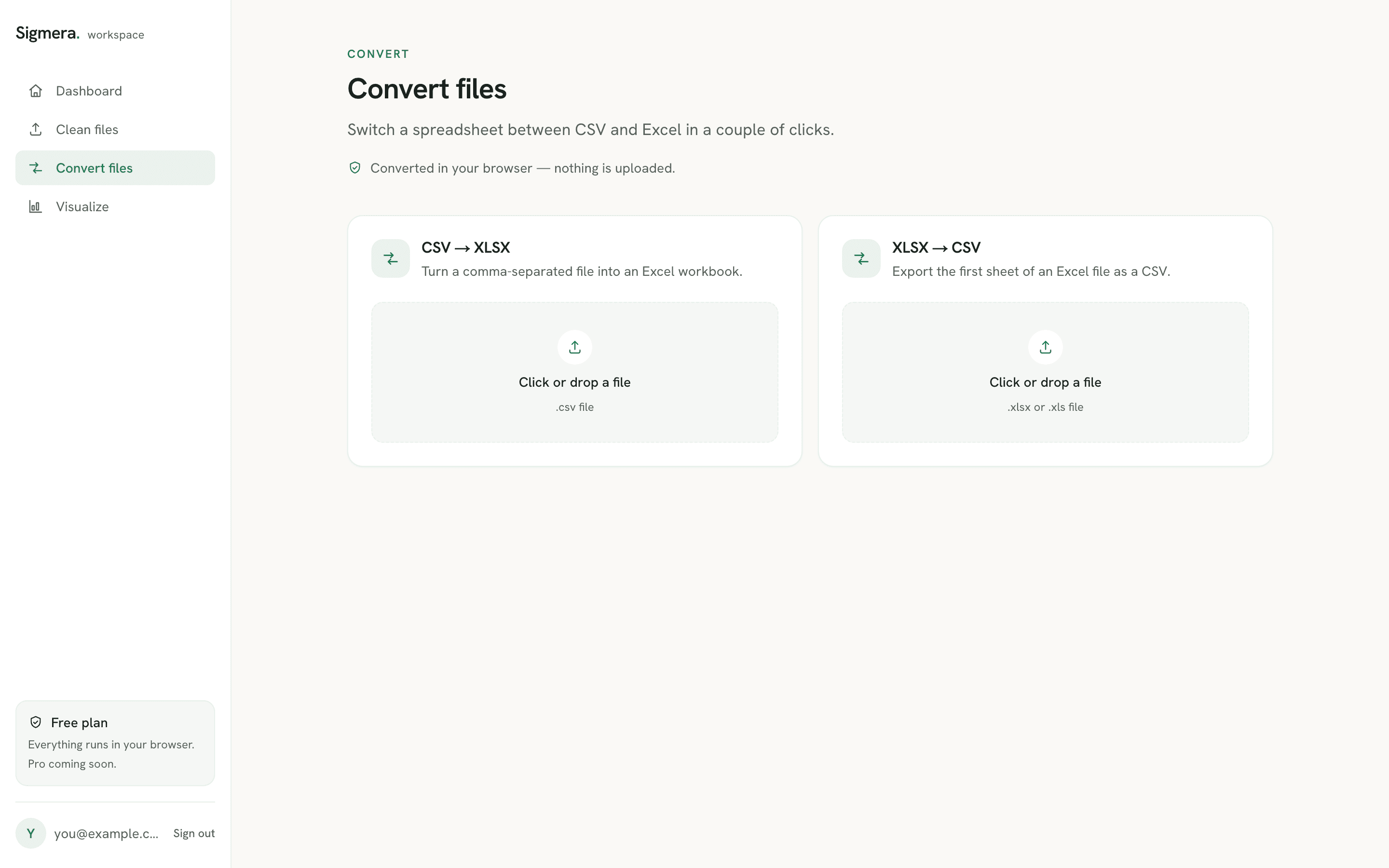
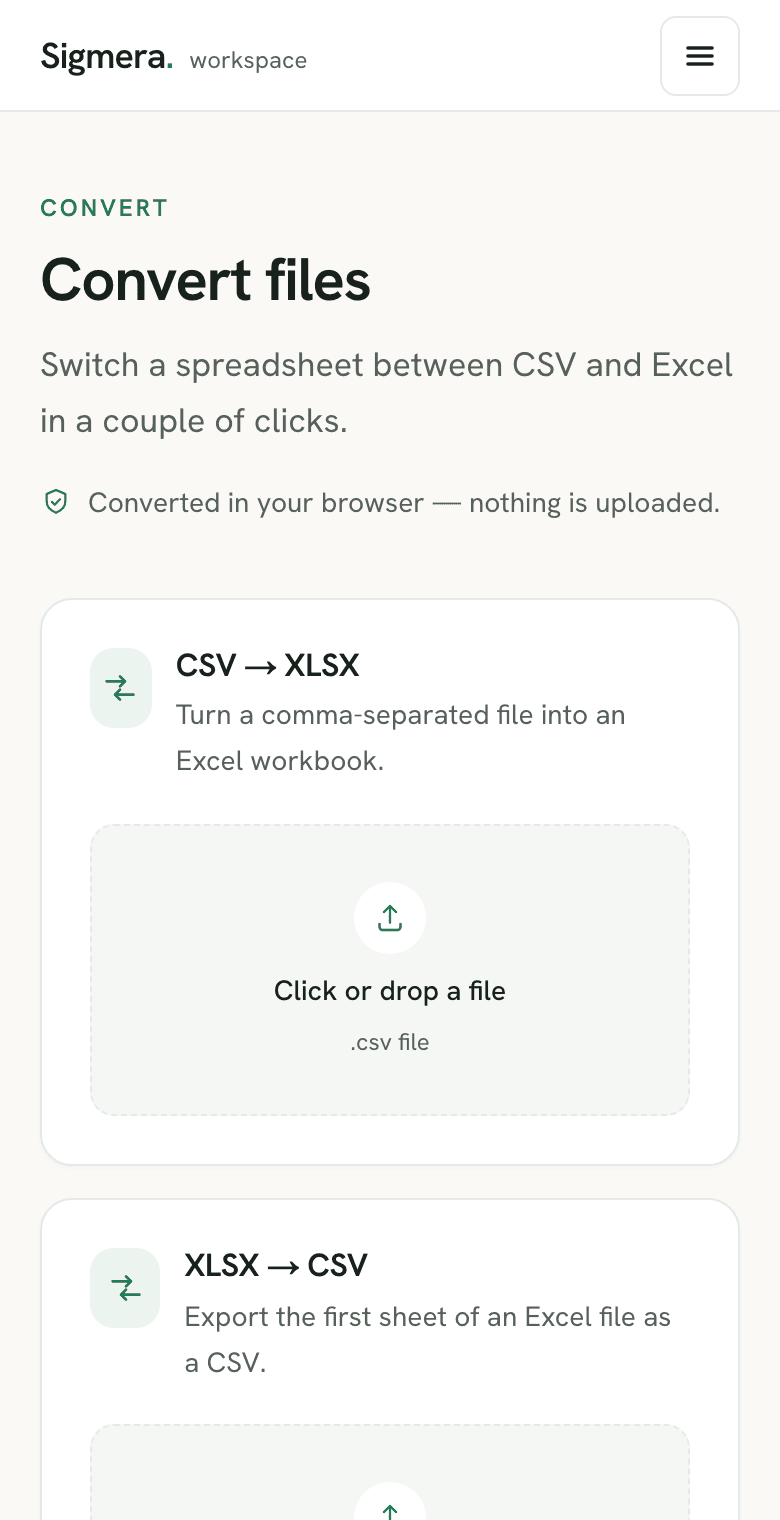
Use the CSV → Excel converter free in your workspace
Free account, no credit card — every tool, unlimited rows, 3 free downloads a month, nothing uploaded.
🔒 Everything runs in your browser — your file is never uploaded, and the workspace even works offline once it has loaded.
How to convert CSV to Excel
- 1. Open the converter in your free workspace. Your CSV is read into the browser’s memory — never sent over the network.
- 2. Drop your .csv file. Sigmera detects the delimiter and encoding automatically, so accents and special characters survive.
- 3. Download the .xlsx workbook. The result opens in Excel, Google Sheets, Numbers, or LibreOffice.
Why convert in the browser?
Most online converters upload your file to a server you can’t see. Because Sigmera converts the file locally with the browser’s built-in engine, there is no server to upload to and nothing is stored — which satisfies GDPR data-minimization because zero bytes leave your device.
Need the opposite direction? Use the same workspace to convert XLSX to CSV when an importer refuses .xlsx and wants plain comma-separated text.
If the file is going to a person rather than a system — a report to print, sign off, or attach to an email — skip the workbook and turn the CSV straight into a PDF table instead.
CSV to XLSX: what changes in the file
A CSV is plain text — one line per row, values split on a delimiter, no cell types and no second sheet. An .xlsx workbook is a zipped XML package that records each cell’s type and number format. That difference is why double-clicking a CSV into Excel mangles data: Microsoft’s own import guidance notes that Excel applies its default data format settings when it opens a text file, which is what drops leading zeros from ZIP codes and rewrites long phone numbers in scientific notation. Running the CSV through a converter writes real cell values instead, so the columns arrive intact.
The only hard ceiling is Excel’s worksheet limit of 1,048,576 rows by 16,384 columns. Under that, a browser CSV to Excel converter is bounded by your own device memory rather than an upload size cap — there is no server in the path.
Most people convert because something downstream needs a workbook. If the goal is tidy data rather than the format itself, it is worth removing duplicate rows and standardizing phone numbers before you convert, so the .xlsx you hand over is already clean. See all the cleaning tools for the rest.
Why a CSV opens in one column in Excel
Double-clicking a .csv sometimes drops every field into column A. That is a delimiter mismatch, not a corrupt file. Microsoft documents that Excel uses the Windows list separator as the delimiter for .csv files, so a comma-delimited export opens unsplit on a machine whose regional list separator is a semicolon — the default across much of Europe.
There are two ways past it. Inside Excel, import the file rather than opening it: Get & Transform Data > From Text/CSV lets you pick the delimiter before the data lands. Or convert the file to .xlsx first — the converter reads the delimiter out of the CSV itself, so the workbook arrives already split into columns whatever your regional settings say. The walkthrough of Excel’s own import path covers the first route, and what a .csv file actually stores explains why the separator is a convention the format never declares.
Why Excel turns CSV values into dates
The other thing that breaks on a double-click is anything shaped like a date. Product codes such as 12/2, ratios such as 1-2, and measurements such as 3/4 get read as calendar values, and Microsoft states the behaviour plainly: “12/2 changes to 2-Dec”, and there is no setting to turn it off. The fix Microsoft documents is to make the cells text before the value lands — either by preformatting them as Text, or by choosing the column’s data format during import instead of opening the file directly.
Converting the CSV to .xlsx applies the same idea earlier in the chain. The converter writes each field into the workbook as the value it already was, so the column is decided before Excel gets a chance to guess. If the file is on its way somewhere else anyway — a CRM, a mail merge, an accounting import — it is worth doing the cleanup at the same time: tidy the email column and swap stray values across a column while the file is open, then export once. The write-up of what CSV and Excel each actually store covers which of the two formats a given importer really wants.
Why a CSV shows garbled characters in Excel
The third failure has nothing to do with columns or dates. Names and addresses come through as é, ’, or a row of question marks, because Excel decoded the bytes with the wrong character set. A .csv carries no declaration of its own encoding, so something has to guess — and Microsoft is direct about what the guess depends on: a UTF-8 file opens normally only if it was saved with a BOM (byte order mark), and otherwise has to be imported rather than opened.
The Power Query documentation states the rule from the other direction. Its File Origin dropdown exists precisely because the character set is not inferred, and UTF-8 is only inferred if the file starts with a UTF-8 BOM. That is the whole bug in one sentence: an exporter that writes clean UTF-8 without a BOM — which most databases and CRMs do — hands Excel a file it will read as Windows-1252, and every accented character breaks.
Converting to .xlsx settles the question before Excel sees the file. Sigmera reads the BOM when there is one; when there is none it validates the bytes as strict UTF-8 and only falls back to Windows-1252 or UTF-16 if that validation fails — a decision made from the file’s actual contents, not from your machine’s regional settings. The text is decoded once, then written into the workbook as Unicode, where the encoding is no longer a guess anyone has to make. If you are re-exporting afterwards, the reverse converter writes UTF-8 back out, and the anatomy of a .csv covers why the format never records its own encoding in the first place.
Converting CSV to XLSX inside Excel with Save As
Excel can write the workbook itself: open the .csv, then File > Save As and choose Excel Workbook (.xlsx) from the format list. Nothing is wrong with that route — but it saves the grid as it currently stands, and by then Excel has already made every decision described above. Save As is a container swap, not a repair: if the ZIP codes lost their zeros on the double-click, the workbook records them without zeros.
That is the whole argument for converting the file before Excel reads it. A converter parses the text itself — delimiter, encoding, and each field as written — and hands Excel a workbook whose columns are already settled. The alternative inside Excel is to import rather than open, and set each column’s data format in the wizard before the values land.
Several CSV files, one workbook
A monthly export often arrives as a folder of identically shaped files rather than one. Sigmera converts a single file per pass, so for stacking many CSVs into one sheet the tool for the job is Excel’s own Power Query Folder connector, which reads every file in a folder and offers Combine & Load. Microsoft’s own caveat is worth heeding: all the files in the folder and its subfolders are processed the same way, so they have to share one format and structure — a stray file with an extra column poisons the combine.
Which is the argument for cleaning each export before it is stacked, not after. Once thousands of rows from a dozen files sit in one sheet, a duplicate contact and a misformatted number look identical to a clean one. Running the duplicate remover over each file first, then converting, keeps the workbook you hand over defensible.
Frequently asked questions
- Does this tool upload my CSV?
- No. The CSV-to-Excel conversion runs entirely inside your web browser using client-side JavaScript. Your file is never uploaded to a server, so it is GDPR-safe by design.
- What format does it produce?
- A standard .xlsx workbook that opens in Microsoft Excel, Google Sheets, Numbers, and LibreOffice. Your rows and columns are placed on the first sheet exactly as they appear in the CSV.
- Will it handle accents and other languages?
- Yes. Sigmera auto-detects the CSV's encoding (UTF-8, UTF-16, Windows-1250/1252 and more), so accented and non-Latin characters survive the conversion intact.
- Do I need Excel installed?
- No. The conversion happens in the browser, so you don't need Excel or any other app installed to produce the .xlsx file.
- How do I convert CSV to Excel without losing leading zeros?
- Open the CSV in a converter rather than double-clicking it into Excel. Microsoft documents that Excel applies its default data formats when it opens a text file, which is what strips leading zeros from ZIP codes and phone numbers and turns long digit strings into scientific notation. Converting the CSV to .xlsx first writes each column as a cell value, so the zeros stay put.
- What is the difference between CSV and XLSX?
- A CSV is plain text: one line per row, values separated by commas, no formatting and one sheet only. An .xlsx workbook is a zipped XML package that stores cell types, number formats, multiple sheets, formulas, and styling. Converting CSV to XLSX gives you a real workbook; converting the other way flattens it back to text.
- How large a CSV can I convert to xlsx?
- The practical ceiling is Excel's own worksheet limit of 1,048,576 rows by 16,384 columns. Below that, the limit is your device's available memory rather than a server upload cap, because the conversion runs locally in your browser.
- Why does my CSV open in one column in Excel?
- Because the file's delimiter doesn't match the one Excel expects. Microsoft documents that Excel uses the Windows list separator character as the delimiter for .csv files, so a comma-delimited export lands in a single column on a machine whose regional list separator is a semicolon. Importing through Get & Transform Data > From Text/CSV lets you choose the delimiter, and converting the CSV to .xlsx sidesteps the setting entirely — the columns are already split in the workbook.
- Why does Excel change my CSV values into dates?
- Because Excel types each value as it reads it, and anything shaped like a date is read as one — Microsoft's own guidance gives the example of 12/2 becoming 2-Dec, and says there is no setting that turns the behaviour off. Product codes, ratios, and part numbers are the usual casualties. Microsoft's documented fix is to make the cells text before the value arrives: preformat them as Text, or set the column's data format during import rather than opening the file directly. Converting the CSV to .xlsx does the same thing earlier — the field is written into the workbook as the value it already was.
- Does converting CSV to Excel change my data?
- No. The conversion rewraps the same rows and columns in the .xlsx container — it does not round numbers, reorder rows, or rename headers. The changes people notice after a CSV reaches Excel come from opening the text file directly, where Excel applies its own data formats. Writing the workbook first is what avoids them.
- Why does my CSV show weird characters like é in Excel?
- Because Excel guessed the wrong character set. Microsoft's guidance is explicit that a UTF-8 CSV opens normally only if it was saved with a BOM (byte order mark); without one you have to import it and pick the encoding by hand. The Power Query documentation says the same thing from the other side — the character set is not inferred, and UTF-8 is only inferred when the file starts with a UTF-8 BOM. Converting the CSV to .xlsx removes the guess: the text is decoded once, then written into the workbook as Unicode.
- Do I have to save my CSV as UTF-8 with BOM first?
- Not for this converter. Sigmera reads the BOM when there is one, and when there isn't it validates the bytes as strict UTF-8 and falls back to Windows-1252 or UTF-16 based on the file's actual contents rather than on your machine's regional settings. You only need the BOM when you plan to double-click the .csv straight into Excel.
- How do I convert a CSV to Excel inside Excel itself?
- Open the .csv, then use File > Save As and pick Excel Workbook (.xlsx) from the format list. It works, but it saves whatever is already in the grid — so if the double-click had already dropped your leading zeros, read 12/2 as a date, or decoded the accents wrongly, Save As writes those mistakes into the workbook permanently. Convert the file before Excel reads it, or import through Get & Transform Data and set each column's type first.
- Can I convert several CSV files into one Excel workbook?
- Not in one pass here — Sigmera converts one file at a time. Excel can do it through Power Query's Folder connector, which reads every file in a folder and offers Combine & Load; Microsoft's documentation warns that all files in the folder and its subfolders are processed the same way, so they must share the same format and structure or the combine produces junk.
- Does converting CSV to Excel restore my formulas?
- No, and nothing can. A CSV stores only text, so a formula that existed in the original workbook was already flattened to its calculated result when the file was exported. Microsoft states the same thing in reverse: save a workbook in any text format and all formatting is lost. Converting back to .xlsx gives you a real workbook to add formulas to — it cannot recover ones that were discarded on the way out.
- Can I convert a CSV to Excel on a Mac?
- Yes. The converter runs in the browser, so it behaves the same on macOS, Windows, Linux, and ChromeOS, and it does not need Excel or Microsoft 365 installed. The .xlsx file it produces opens in Excel for Mac, Numbers, Google Sheets, and LibreOffice.